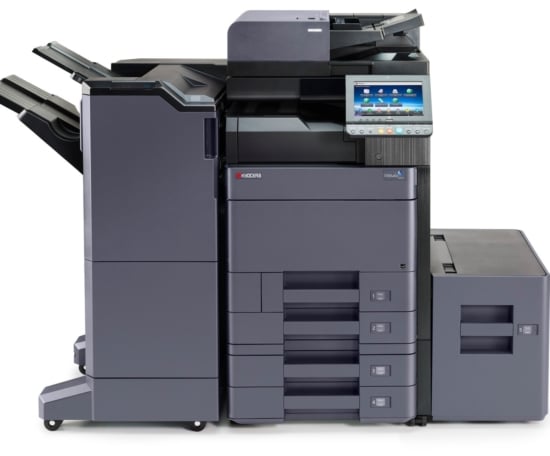


Kyocera TASKalfa 6002i
The KYOCERA TASKalfa 6002i is a high-performance A3 multifunction device, ideal for businesses producing large volumes, with mobile printing, professional finishing and maximum security.
- Ultra-fast scanner with DSPF up to 180 ipm
- Secure printing and complete connectivity
- Large paper capacity and advanced finishing options
Challenging your current provider can only pay off. €5,000 in savings on average
Request afree quote
Detailed specifications for the Kyocera TASKalfa 6002i
The director's view

Kyocera is a real favourite of mine. Their photocopiers are high-performing, with top-notch value for money!
- General A4 and A3 B&W photocopier
- Function 3-in-1 (printer, scanner, copier)
- Output speed 60 pages/minute
- Recommended monthly volume 45 000 pages/month
- Financing method Purchase or Rental
- Maintenance contract Yes, for a maximum of 5 years
- Standard paper capacity 2 x 500 sheets
- Technology Laser
- Home screen Colour touchscreen of 10.1''
- Dimensions in cm (width x depth x height) 60 x 66.5 x 79
- Weight in kg (excluding options) 83 kg
- Print resolution (dpi) 1 200 x 1 200 dpi
- Paper weight 52 à 300 gsm
- Environment Windows / Mac
Find out more about the Kyocera TASKalfa 6002i
KYOCERA TASKalfa 6002i: A3 black-and-white multifunction printer for high volumes
Introducing the Kyocera TASKalfa 6002i
The Kyocera TASKalfa 6002i is an A3 black-and-white multifunction printer designed to meet the most demanding printing needs.
Robust, fast and reliable, it is aimed at large businesses, local authorities and reprographics centres looking for a device capable of handling large volumes without compromising on quality.
Thanks to its speed of 60 pages per minute, its scanning up to 180 images per minute and its many finishing options, the TASKalfa 6002i stands out as a true internal document production centre.
Main features of the Kyocera TASKalfa 6002i
Performance and productivity
With a print speed of 60 ppm and a first-page-out time of under 4.5 seconds, this model ensures constant productivity, even during periods of high activity.
Its high-performance processor and expandable memory allow it to handle large documents or complex print jobs without slowing down.
Print quality and reliability
Kyocera’s monochrome laser technology guarantees sharp, consistent prints, even on long runs.
The long-life drum (up to 600,000 pages) considerably reduces technical interventions and total cost of ownership — a major asset for high-volume organisations.
Scanning and document management
The dual-scan document feeder allows simultaneous double-sided scanning up to 180 images per minute, with support for PDF, TIFF and JPEG formats.
Adding the OCR module turns your scans into searchable PDFs, making it easier to search and manage digital archives.
Professional finishing
The Kyocera TASKalfa 6002i offers several finishing modules:
-
Automatic stapling up to 65 sheets
-
Booklet creation and multiple folding
-
Mailbox for automatic sorting
-
Ecological staple-free finishing
These options make it possible to produce reports, brochures, statements or administrative documents in-house, with a finish worthy of a professional reprographer.
Connectivity and mobile printing
Compatible with the AirPrint, Mopria, Kyocera Mobile Print, Wi-Fi Direct and NFC standards, the 6002i makes printing and scanning easy from any mobile device.
It also supports printing banners up to 1,200 mm via the bypass tray, ideal for internal signage or communication displays.
Security and administration
The Kyocera TASKalfa 6002i incorporates advanced security features: data encryption, automatic deletion of temporary files, authentication by card or PIN code, and network compatibility with secure protocols.
Administrators can also oversee the printer fleet via the Kyocera Net Manager platform for centralised control.
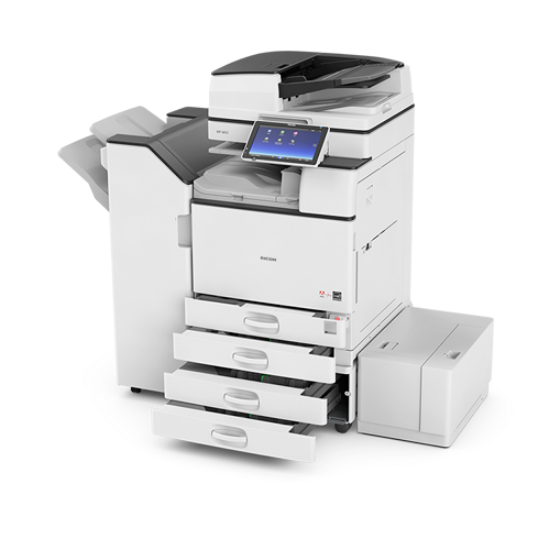
Kyocera TASKalfa 6002i vs Ricoh MP 6055SP: which to choose?
The Kyocera TASKalfa 6002i stands out for its ultra long-life drum and its particularly low running cost, while the Ricoh MP 6055SP focuses on native cloud connectivity and a slightly more intuitive interface.
In summary:
-
For very high print volumes, the Kyocera 6002i is more economical in the long term.
-
For mixed office environments, the Ricoh 6055SP may offer greater integration flexibility.
Why choose Service4Print?
At Service4Print, we support professionals in the choice, rental and maintenance of their multifunction printers.
Our multi-brand expertise allows us to guide you towards the most suitable solution for your volumes and your budget.
Our commitments:
-
📦 Delivery, installation and training throughout France
-
🧰 Maintenance contract with preventive replacement
-
🔁 Trade-in and recycling of your old copier
-
💬 Responsive technical support and personalised follow-up
With Service4Print, you benefit from a turnkey solution, high-end equipment, and competitive pricing for your professional printing.
Ideal for
-
Large multi-site businesses
-
Administrations and local authorities
-
Internal reprographics centres
-
Schools, hospitals and universities
FAQ – Frequently asked questions
Can I print from a smartphone?
Yes, via AirPrint, Mopria, Kyocera Mobile Print and NFC for a direct, cable-free connection.
Does this printer handle banners?
Yes, it supports media up to 1,200 mm via the bypass tray.
Is an OCR module available?
Yes, it allows you to create searchable PDFs to make archiving and document searches easier.
Is the finishing automatic?
Yes, depending on the chosen module: stapling, folding, booklet or automatic mailbox.
Frequently asked questions
-
At Service4print, we understand that flexibility is essential when it comes to meeting your business’s photocopier needs. That’s why we offer photocopier hire agreements with no minimum contract term (even a short-term hire for just a few days is perfectly possible).
Although the majority of our customers opt for our value-for-money 63-month contracts, which offer the most competitive monthly rates, we understand that every business has unique needs. In short, we adapt!
-
A photocopier maintenance contract is essential for ensuring your equipment continues to operate smoothly whilst minimising downtime.
At Service4print, our comprehensive maintenance contract includes a range of services to ensure your photocopier performs at its best. We charge a per-page rate for black-and-white prints and a per-page rate for colour prints, based on actual usage (with no minimum copy charge). This transparent pricing model allows you to keep costs under control by paying only for what you actually use.
By signing up to our maintenance contract, you benefit from the supply of ink cartridges, rapid technical support in the event of a problem, and the replacement of wear-and-tear parts – all included in a predictable monthly fee. Our qualified technicians ensure that your photocopier operates at peak performance, allowing you to focus on your core business without worrying about technical issues.
-
No, you are not obliged to take out a maintenance contract when purchasing or hiring our photocopiers.
However, we do recommend this service if you wish to receive prompt assistance in the event of a technical fault, as well as for the management of your consumables.
The aim is to help you budget for and control your printing costs by including all our services in this contract. No more unexpected costs, and all management is automated!
-
At Service4print, we are committed to responding very quickly in the event of a breakdown with your photocopier. We offer a response time of 4 hours for issues that can be resolved remotely and 8 hours (next working day) for on-site visits, wherever you are in France.
Our priority is to minimise downtime to ensure the continuity of your business.
-
We cannot answer this question for you.
It depends on your circumstances and makes no difference to us. It will cost you less if you buy the equipment (as you won’t have to pay bank interest).
However, 80% of our customers opt for leasing to avoid tying up their cash flow.
-
Our expertise and knowledge of the industry have enabled us to select the best partners at the best prices, entirely objectively, and to pass these benefits on to you.
What’s more, our level of service is at least on a par with that of the manufacturers, as all maintenance on our equipment is carried out by our partners’ technicians. You’ll simply benefit from a faster response and work with a partner on a human scale.
From experience, we can assure you that this makes all the difference for you, the customer!
-
With over 10 years’ experience in the sector, Damien Saincé has honed his skills in this complex industry, which is sorely lacking in transparency.
Service4print was founded with the sole aim of restoring a climate of trust by acting as a partner on a human scale for you, our clients.
As a printing equipment broker, and without favouring one brand over another, we provide you with the best possible advice, tailoring our approach to your needs and working within your budget.
-
Absolutely! We deliver and install our equipment throughout France without extending our delivery times.
Within a few days, wherever you are in France, we’ll be there to meet your needs.
-
Of course. Service4print can offer you new, refurbished (second-hand) and second-hand photocopiers for sale or hire.
This gives us greater flexibility for our customers, particularly as there is a genuine demand for these options for both economic and environmental reasons.
-
Yes, we offer repairs, troubleshooting, regular servicing, maintenance, diagnostics, technical support and after-sales service for all types of photocopiers and printers, regardless of brand.
Whether it’s a frozen control panel, an error code, recurring paper jams, a print quality issue, a quick repair or an annual maintenance contract, our technical team is on hand to respond promptly anywhere in France. -
To avoid any confusion whilst searching and to ensure you find the right model, here are the various names, alternative names, full or abbreviated model numbers and common spellings for this Kyocera TASKalfa 6002i photocopier. This will enable you to find it easily, even in the event of a typing error or variation in the name.
Here is the list: troubleshooting KIOCERA KYOCERA TASKalfa 6002, KIOCERA KYOCERA TASKalfa 6002i, KIOCERA KYOCERA-TASKalfa-6002i, KIOCERA KYOCERATASKalfa6002i, KIOCERA kyocera taskalfa 6002, KIOCERA kyocera taskalfa 6002i, KIOCERA kyocera-taskalfa-6002i, KIOCERA kyocerataskalfa6002i, KYOCERA KYOCERA TASKalfa 6002, KYOCERA KYOCERA TASKalfa 6002i, KYOCERA KYOCERA-TASKalfa-6002i, KYOCERA KYOCERATASKalfa6002i, KYOCERA TASKalfa 6002, KYOCERA TASKalfa 6002i, KYOCERA kyocera taskalfa 6002, KYOCERA kyocera taskalfa 6002i, KYOCERA kyocera-taskalfa-6002i, KYOCERA kyocerataskalfa6002i, KYOCERA-TASKalfa-6002i, KYOCERATASKalfa6002i, KYOCRA KYOCERA TASKalfa 6002, KYOCRA KYOCERA TASKalfa 6002i, KYOCRA KYOCERA-TASKalfa-6002i, KYOCRA KYOCERATASKalfa6002i, KYOCRA kyocera taskalfa 6002, KYOCRA kyocera taskalfa 6002i, KYOCRA kyocera-taskalfa-6002i, KYOCRA kyocerataskalfa6002i
The benefits of Service4Print
Service4Print enables you to save an average of 5,000€ by offering you the latest models of photocopiers at the lowest prices on the market. Run a simulation now to calculate your savings.

Fast and efficient service
Copiers equivalent to the Kyocera TASKalfa 6002i

IM 6010
Copieur A3 60 ppm, scanner 240 ipm, sécurité renforcée et impression mobile. Idéal pour les structures à forte volumétrie.Starting from
125€
Available in
refurbished
IM 6010
A3 copier, 60 ppm, 240 ipm scanner, enhanced security and mobile printing. Ideal for high-volume organisations.From
125€
Available in
refurbished

KYOCERA TASKalfa 6002i
Multifonction A3 N&B 60 ppm rapide, fiable et connecté, idéal pour les environnements exigeants.Starting from
92€
Available in
refurbished
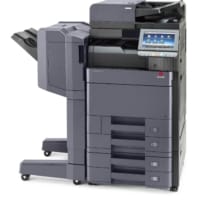

Olivetti d-COPIA 6000MF
Copieur multifonction A3 N&B – 60 ppm, numérisation rapide, finitions pro et impression mobile.Starting from
89€
Available in
refurbished
Olivetti d-COPIA 6000MF
A3 B&W multifunction copier – 60 ppm, fast scanning, professional finishing and mobile printing.From
89€
Available in
refurbished
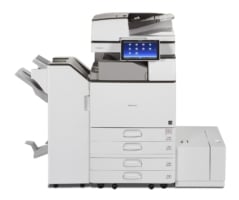
Ricoh MP 6055SP
Multifonction A3 N&B 60 ppm avec scanner rapide, sécurité renforcée et connectivité cloud.Starting from
104€
Available in
refurbished
Ricoh MP 6055SP
A3 B&W multifunction device, 60 ppm, with fast scanner, enhanced security and cloud connectivity.From
104€
Available in
refurbished
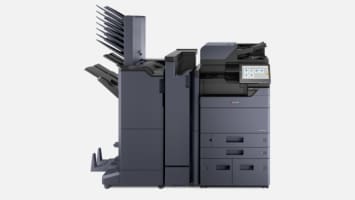
Kyocera TASKalfa MZ6001i
MZ6001i : copieur A3 couleur 60 ppm, scan 200 ipm, finitions pro, HyPAS, Cloud, écran tactile 25,6 cm.Starting from
98€
Available in
new
Kyocera TASKalfa MZ6001i
MZ6001i: A3 colour copier 60 ppm, 200 ipm scanning, professional finishing, HyPAS, Cloud, 25.6 cm touchscreen.From
98€
Available in
new
KYOCERA TASKalfa 6003i
TASKalfa 6003i : copieur A3 60 ppm, sécurisé, rapide et compatible avec les besoins professionnels exigeants.Starting from
69€
Available in
refurbished
KYOCERA TASKalfa 6003i
TASKalfa 6003i: a 60 ppm A3 copier, secure, fast and compatible with demanding professional needs.From
69€
Available in
refurbished
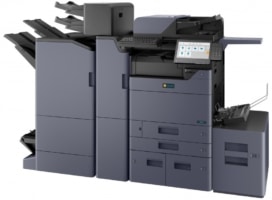

Triumph-Adler TA 6058i
TA Triumph-Adler 6058i : performance, sécurité, finitions pro pour pros exigeants.Starting from
98€
Available in
new
Triumph-Adler TA 6058i
TA Triumph-Adler 6058i: performance, security, professional finishing for demanding professionals.From
98€
Available in
new
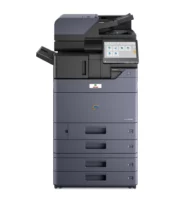
Olivetti d-Copia 6002MF
Olivetti d-Copia 6002MF : puissance, sécurité et finitions pro pour vos volumes A3.Starting from
104€
Available in
new
Olivetti d-Copia 6002MF
Olivetti d-Copia 6002MF: power, security and professional finishing for your A3 volumes.From
104€
Available in
new
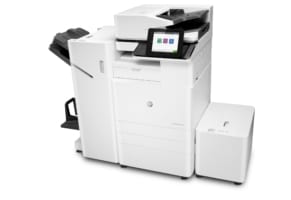

HP LaserJet Managed MFP E82560dn
HP E82560dn : imprimante A3 rapide, sécurisée et connectée.Starting from
95€
Available in
new
HP LaserJet Managed MFP E82560dn
HP E82560dn: a fast, secure and connected A3 printer.From
95€
Available in
new
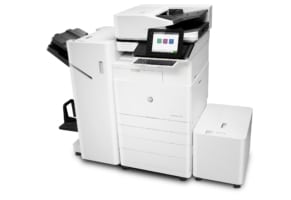
HP LaserJet Managed Flow MFP E82560z
HP E82560z : multifonction A3 rapide, sécurisée, avec finition professionnelle.Starting from
109€
Available in
new
HP LaserJet Managed Flow MFP E82560z
HP E82560z: a fast, secure A3 multifunction device with professional finishing.From
109€
Available in
new
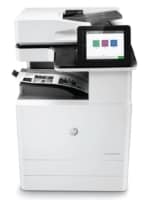
HP LaserJet Managed MFP E82560du
HP E82560du : multifonction A3 rapide, sécurisée, avec finitions pro.Starting from
106€
Available in
new
HP LaserJet Managed MFP E82560du
HP E82560du: a fast, secure A3 multifunction device with professional finishing.From
106€
Available in
new
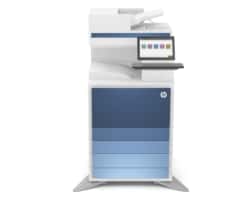
LaserJet Managed MFP E82660dn
HP E82660dn : une imprimante A3 rapide et sécurisée, conçue pour les pros.Starting from
125€
Available in
new
LaserJet Managed MFP E82660dn
HP E82660dn: a fast and secure A3 printer, designed for professionals.From
125€
Available in
new
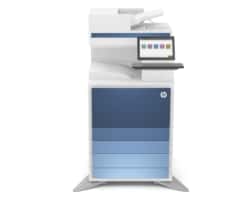
LaserJet Managed Flow MFP E82660z
HP E82660z : multifonction A3 60 ppm sécurisée, rapide et connectée.Starting from
138€
Available in
new
LaserJet Managed Flow MFP E82660z
HP E82660z: secure, fast and connected 60 ppm A3 multifunction device.From
138€
Available in
new
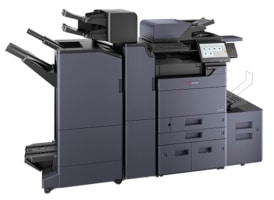
KYOCERA TASKalfa 6004i
TASKalfa 6004i : imprimante A3 rapide, ultra sécurisée, pensée pour les grandes entreprises.Starting from
125€
Available in
new
KYOCERA TASKalfa 6004i
TASKalfa 6004i: fast, ultra-secure A3 printer, designed for large companies.From
125€
Available in
new
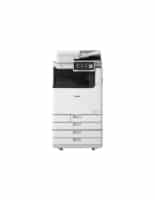

IMAGERUNNER ADVANCE DX 6860i
Imprimante A3 60 ppm performante et sécurisée. Idéale pour les structures à haut volume documentaire.Starting from
184€
Available in
new
IMAGERUNNER ADVANCE DX 6860i
High-performance, secure 60 ppm A3 printer. Ideal for organisations with a high document volume.From
184€
Available in
new
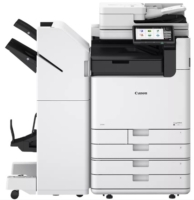
imageForce 6160
Copieur A3 60 ppm avec scan rapide, impression mobile et sécurité entreprise. Idéal pour les environnements exigeants.Starting from
224€
Available in
new
imageForce 6160
A3 copier, 60 ppm, with fast scanning, mobile printing and enterprise security. Ideal for demanding environments.From
224€
Available in
new
IM 6000
Copieur A3 60 ppm, scanner 240 ipm, sécurité renforcée et impression mobile. Idéal pour les structures à forte volumétrie.Starting from
125€
Available in
new
IM 6000
A3 copier, 60 ppm, 240 ipm scanner, enhanced security and mobile printing. Ideal for high-volume organisations.From
125€
Available in
new
A question? A project?
Our teams of professionals are at your disposal to assist you and will be glad to support you in your purchases of IT equipment (Printers/Photocopiers/Plotters).